English
 Español
 Português
 Deutsch
 한국어
한국어 日本語
日本語 Italiano
 Français
 العربية
 Türkçe
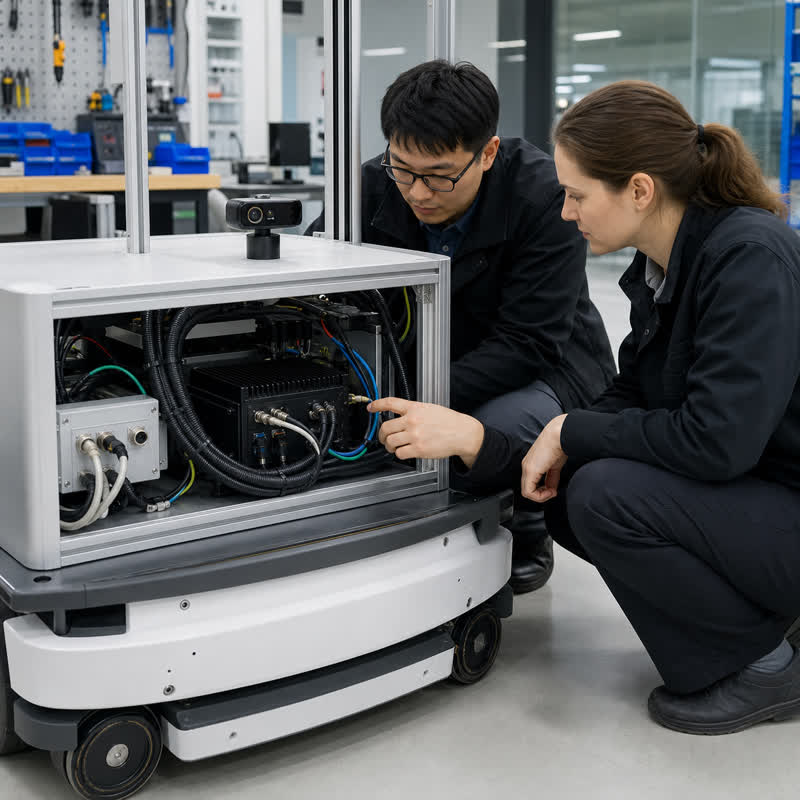
When a robot program is under schedule pressure, a large TOPS figure looks like a fast answer. It is not. A robot does not deploy a headline number: it deploys an installed computer that must ingest real sensor data, run the intended software reliably enough for the wider architecture, communicate with adjacent systems, and remain serviceable inside the machine. That makes robotics edge AI computer selection an evidence exercise, not a single-specification contest.
What TOPS does—and does not—tell a robotics team
TOPS means trillions of operations per second and is commonly used to describe a processor’s AI acceleration capability. It can be useful for a first-pass comparison when the precision, model type, runtime, operating mode, and test conditions are comparable. Those conditions are often not identical across products or a robot’s actual workload.
TOPS alone does not confirm that a perception pipeline fits in memory, that a camera can connect to the selected computer, that data arrives in the expected format, or that the enclosure can manage the installed thermal and power conditions. It also says nothing by itself about software integration, log retention, service access, or the boundaries between robot-side compute and dedicated low-level control or safety functions.
Evaluate the complete deployed workload
Start with a workload sheet rather than a processor comparison. For each process, name the sensor source, input format, software owner, runtime environment, output destination, restart expectation, and what the wider robot should do if that process is unavailable. A camera-rich robot may combine image acquisition, preprocessing, inference, localization, recording, diagnostics, and network communication. The accelerator is only one part of that chain.
| Decision area | Evidence to request or test | Why TOPS cannot answer it alone |
|---|---|---|
| Model and runtime fit | Actual model versions, input sizes, precision, runtime, software image, and representative data. | The same nominal accelerator class can behave differently with a different model or deployment stack. |
| Memory and storage | Concurrent processes, buffering, model loading, log-retention needs, and recovery after a power event. | Throughput does not describe memory pressure, storage planning, or restart behavior. |
| Sensor and I/O path | Camera count, connectors, cable routes, network topology, sensor protocols, and software drivers. | A high compute figure cannot add a missing physical or software interface. |
| Installed hardware fit | Mounting location, cooling path, power source, connector retention, vibration exposure, and maintenance access. | A benchmark does not validate an enclosure or cable harness. |
| System boundaries | Clear ownership for perception, robot communication, dedicated low-level control, and safety functions. | AI acceleration does not define architectural responsibility. |
Three common TOPS-led selection failures
1. The demo model becomes the procurement requirement
A successful vendor demonstration may use a smaller model, a different input stream, or an uncluttered software image. Replace it with the actual robot workload before approving a hardware path. The test should include the concurrent processes the robot will carry, not only an isolated inference demo.
2. The interface map arrives after the computer choice
Teams sometimes choose compute first and then discover a camera connector, network interface, cable route, or driver assumption that does not fit. Freeze the sensor-to-compute map early. For each source, document the physical connection, data owner, software component, and diagnostic method.
3. Bench results hide installation constraints
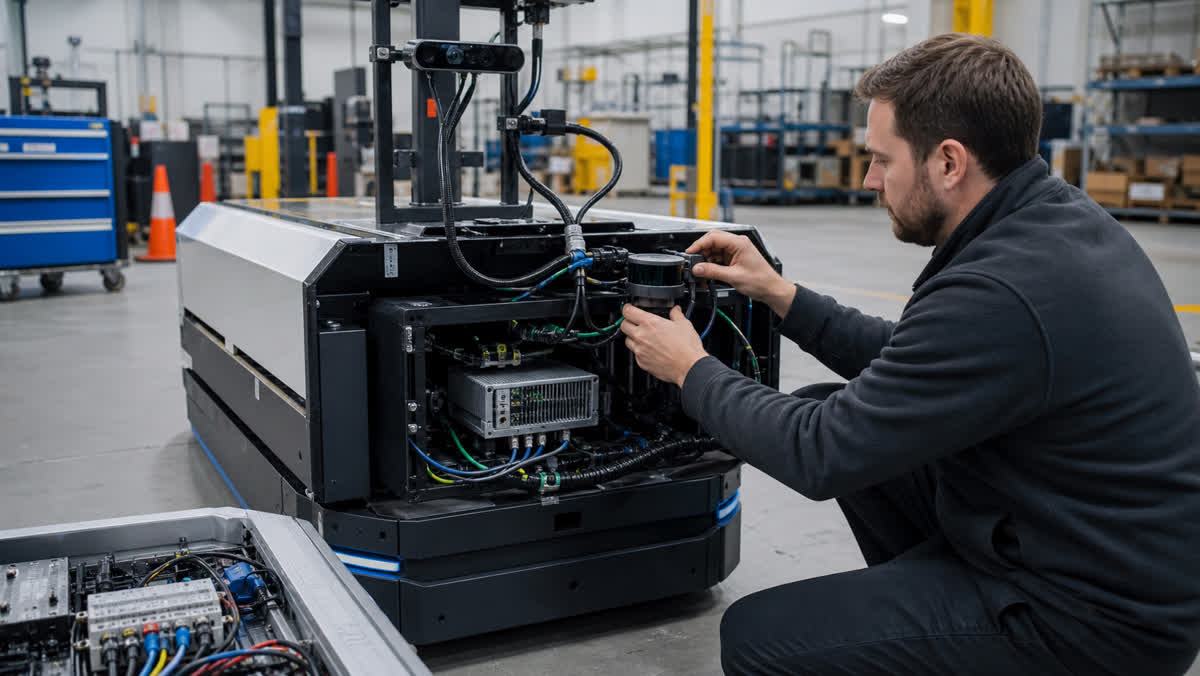
An open bench has easy airflow, short cables, and immediate access. A robot has a battery, enclosure, mounting bracket, strain relief, vibration, service constraints, and planned power transitions. Move the representative workload into the intended installation before treating the selection as complete.
A practical validation sequence
- Write the acceptance question. Define what the computer must support in this robot: sensors, software image, outputs, mounting envelope, and service scenario.
- Run representative data. Test the intended models and input conditions with the planned concurrent processes, logging, and communication load.
- Check every interface physically. Verify connectors, cable lengths, drivers, startup order, sensor reconnection, and diagnostics on the real harness.
- Install before concluding. Review power-up, shutdown, cooling path, mounting, access, and recovery within the actual machine.
- Exercise degradations. Agree how the wider architecture observes a lost camera, unavailable application, network interruption, or computer restart, then validate that designed response.
Where N Series hardware fits after the evidence is clear
Once the data path and installed-system requirements are defined, MScape N Series computers can be evaluated as robot-side computing hardware built around the NVIDIA Jetson ecosystem. For a camera-led, multi-camera perception design, review the MScape N203 multi-camera edge AI computer against the current interface documentation and the actual integration plan. If sensor fusion and industrial interconnect are the central decision drivers, evaluate the MScape N210 robotics edge AI computer as a separate path.
For a compute-heavy robotics workload, the MScape N1000 high-performance robotics edge AI computer is a relevant evaluation path—but it is not automatically the right answer when the primary constraint is camera integration, packaging, or a compact deployment. Start from the N Series product overview, then validate a short list against the system evidence.
FAQ
Is a higher TOPS number always better for a robot?
No. It can be relevant when the deployed models and conditions are comparable, but a suitable robot computer also needs the right inputs, memory behavior, packaging, power, thermal design, software support, and integration evidence.
What should be compared alongside TOPS?
Compare the actual model and runtime, sensor interfaces, memory and storage needs, power and thermal installation, mechanical fit, software image, recovery behavior, and the responsibilities of adjacent robot subsystems.
Can an edge AI computer replace dedicated low-level control functions?
No. It may provide robot-side perception and software workloads, while low-level control and safety responsibilities should remain explicitly defined and validated in the complete robot architecture.
For application context, see MScape application cases. For integration evidence beyond a compute headline, read the related robotics edge AI interface-validation guide and review About MScape before starting a supplier discussion.