English
 Español
 Português
 Deutsch
 한국어
한국어 日本語
日本語 Italiano
 Français
 العربية
 Türkçe
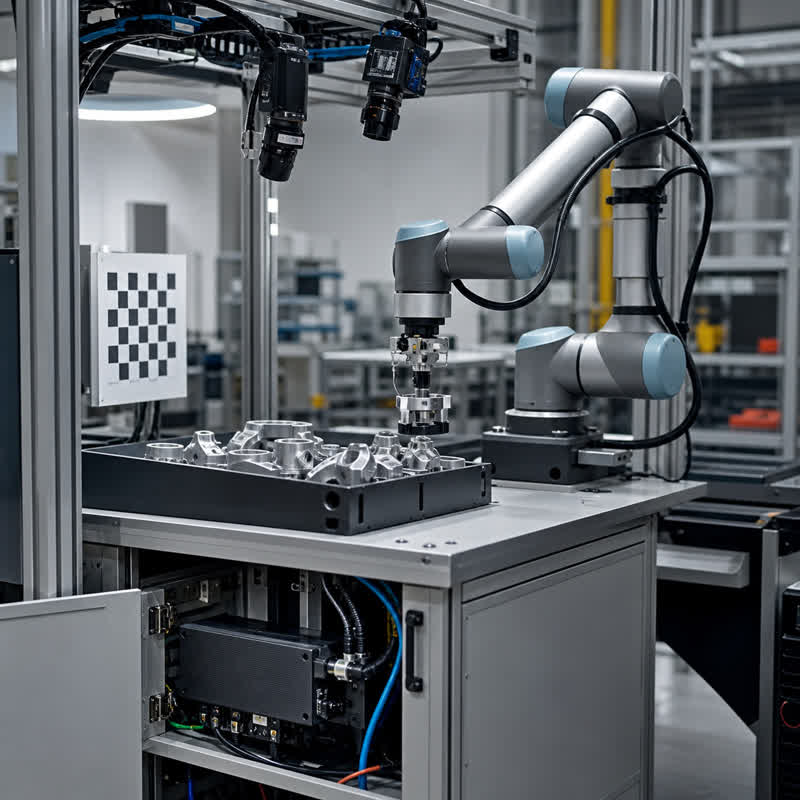
A vision-guided robotic arm needs more than a picture of a part. It needs information the robot application can use: which object matters, where it is, and whether the observation is good enough for the next step. A camera provides the view; processing turns that view into useful information; the motion system handles the assigned movement. Keeping these roles clear makes a vision proposal easier to understand.
Seeing a part and reaching it are different problems
Imagine a workbench with a tray of components. Finding a component in an image does not automatically tell the arm how to reach it. The application must relate the observation to the robot’s working space, decide on a task, and account for the surroundings.
One example of this separation appears in MoveIt’s planning scene documentation: the software maintains a representation of the robot and its surroundings, with sensor information contributing to the environment model. This illustrates a software responsibility; it does not establish compatibility with a particular MScape computer.
For an early discussion, ask for three outputs rather than a vague promise of “AI vision”: an observation of the target, a usable relationship to the work area, and a defined response when the observation is unavailable. The integrator should explain how those outputs connect to the robot application.
Should the camera stay fixed or move with the arm?
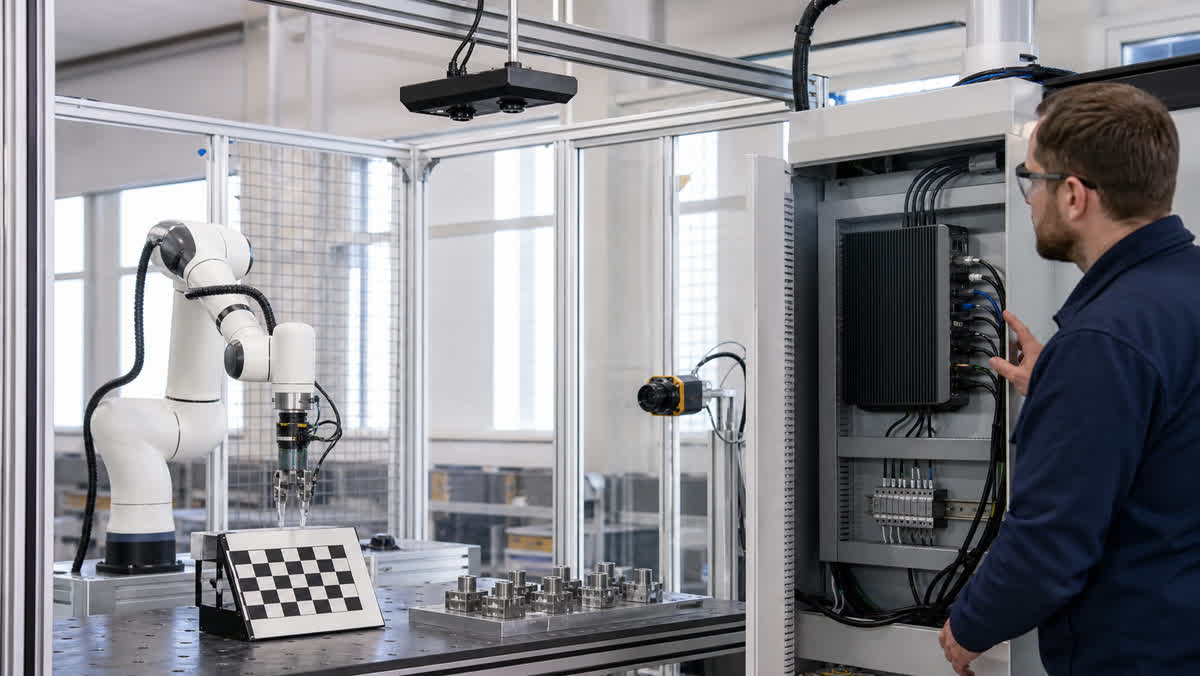
A fixed camera looks at the workspace from a chosen location. A wrist-mounted camera moves with the tool. Both arrangements are used in robot vision; Universal Robots’ OnRobot Eyes overview gives a product-specific example of external and wrist mounting. It is not evidence that every camera supports both.
| Layout | What it can help with | What needs attention |
|---|---|---|
| Fixed view above or beside the workspace | Keeping an overview of a defined work area | The arm or tool may block part of the scene; small details may require a different view. |
| Camera near the wrist | Looking closer at a selected object from an available arm position | The changing viewpoint, tool clearance and cable route become part of the design. |
| Overview plus a closer view | Separating “find the work” from “inspect the target” | The application must connect the observations to the same task and handle disagreement. |
This is a design comparison, not a rule that more views are better. A repeatable task with a clear fixed view may not need a wrist camera. Conversely, adding compute capacity will not reveal an object hidden behind a tool.
What does the vision computer actually do?
A robot vision computer provides a place to receive images and run the chosen processing. Depending on the application, that processing might locate a feature, estimate an object’s position, classify a part or prepare information for another software component.
The computer alone does not supply a finished grasping application. Cameras, lighting, software, the gripper and the robot interface still need to work as a system. A dexterous hand adds its own sensing and control questions; attaching it does not make the vision computer responsible for every finger movement.
Keep responsibility for movement and safety explicit in the system design. This article explains the perception role, not a procedure for commissioning or changing a robot’s safety functions.
When the picture is not clear enough
A useful concept proposal should include uncertainty. In the tray example, the target might be hidden, an identifier unreadable or the observed orientation ambiguous. Possible application responses include taking another view, selecting another permitted target or asking for operator assistance. Which response is allowed belongs to the specific application design.
This is where a solution discussion becomes more useful than a hardware feature list: what information is missing, and what can the system do to obtain it? “Use a faster computer” is only relevant if processing capacity is actually the limiting condition.
How to frame the hardware discussion
For a camera-rich system, the MScape N203 is a computing option to assess against the proposed camera and software configuration. It is not a complete cobot vision package, and compatibility with a robot brand or vision application needs separate confirmation.
Bring a simple description of the workpiece, camera positions, desired observations and the handoff to the robot application. Include the installation location and any known space or power constraints. That is enough to begin a meaningful discussion without pretending the full technical design is already settled.
Follow the task beyond recognition
For a warehouse example, read how robotic picking vision connects finding an item with checking the result. It addresses the workflow after the camera has provided a useful view.