English
 Español
 Português
 Deutsch
 한국어
 日本語
 Italiano
 Français
 العربية
 Türkçe

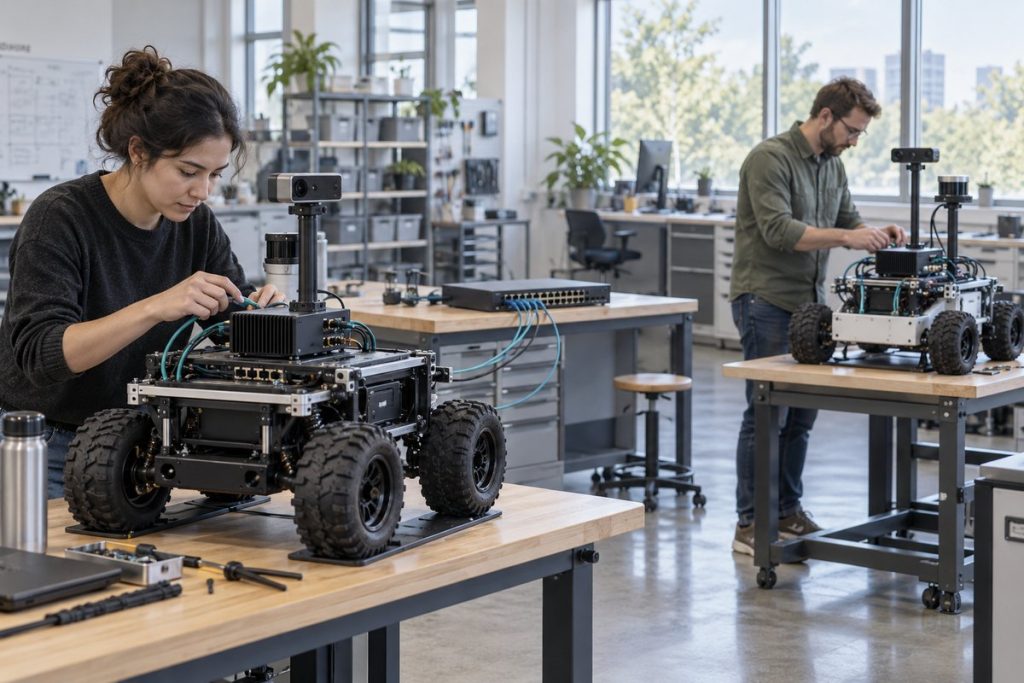
When two robots, a bench rig and a recorder share one network, a ROS 2 node can discover an unintended peer before anyone notices a wrong topic name. Start by assigning the intended participants to a documented DDS domain, then prove that the required nodes discover each other while the excluded ones do not. A different ROS_DOMAIN_ID is a useful logical boundary; it is not a substitute for a complete network, access-control or safety design.
Why a shared lab can create a hidden integration problem
ROS 2 middleware provides distributed discovery. The official ROS 2 environment guide explains that ROS_DOMAIN_ID places nodes in a DDS domain and that nodes communicate only with other nodes in the same domain. That makes the setting useful when several robot systems share a network, but only if every relevant shell, service and container receives the intended value.
A camera pipeline may appear to work until an engineer starts an old launch file, a diagnostic container inherits a default setting, or a recorder joins the wrong graph. The result can be confusing: an unexpected topic appears, a required topic is missing, or tools describe a graph that is not the one the deployed application uses. Do not treat a short ros2 topic list result as proof of the final architecture.
Make the domain plan part of the integration brief
Choose values by ownership and communication need, not by an arbitrary product or robot type. The exact number has no inherent performance meaning. The official guide documents a usable ROS 2 domain-ID range of 0 through 101; confirm the current rules for the chosen ROS distribution and middleware before releasing a configuration.
| System group | Should it share a ROS 2 graph? | Domain-plan decision | Evidence to save |
|---|---|---|---|
| One deployed robot: sensors, perception and robot application | Yes, where the architecture requires their ROS 2 communication | Use the documented production value consistently | Launch configuration, middleware, node list and required-topic test |
| Second robot in the same integration lab | Normally no, unless cross-robot communication is deliberately designed | Assign a different documented value | Negative discovery test plus each robot’s own required-topic test |
| Bench replay or training rig | No for an independent experiment | Use a separate value and label the session | Shell/container environment capture and isolation result |
| Fleet or shared service deliberately designed to communicate | Only for the defined participants and topics | Document the intended shared graph before joining it | Architecture review, access rules and end-to-end validation |
This table is an engineering recommendation, not a claim that all robots must be isolated in the same way. A deliberately shared graph needs its own ownership, security and failure-response review. A domain ID separates ROS 2 discovery scope; it does not decide who is permitted to operate a machine or replace dedicated low-level control and safety functions.
Test the configuration you will actually deploy
Run the acceptance check with the launch mechanism that will operate the robot, including system services and containers. A value set in one interactive terminal does not prove that a boot-time service or a container uses the same environment. The ROS 2 command-line documentation notes that its daemon is associated with the domain ID, so stop or restart the daemon deliberately when changing domains during diagnosis.
- Capture the intended state. Record robot identifier, ROS distribution, middleware implementation, domain value, launch files, container images and network interfaces.
- Prove positive discovery. Start only the intended robot group and confirm the required nodes, topics and an actual application data path. A listed topic without useful messages is not enough.
- Prove negative discovery. Start the independent robot or bench rig on the shared network. Check that its nodes and topics do not appear in the production robot’s intended graph, and that its own graph still works.
- Exercise the real startup path. Reboot or restart the relevant services, then repeat both checks. Include any camera drivers, recorders and diagnostic containers that participate in the deployed build.
- Preserve the result. Save the commands, time, configuration revision, observed node/topic lists and any exceptions. Re-run after a middleware, image or launch-environment change.
Interpret failures before changing hardware
| Observation | First thing to compare | What not to conclude yet |
|---|---|---|
| Expected nodes do not discover each other | Domain value, middleware, network path, launch environment and discovery configuration | That the robot computer lacks enough compute |
| Unrelated topics appear | Whether another system shares the same domain and network scope | That the required application is subscribed to the correct endpoint |
| CLI output differs between terminals | Each terminal’s sourced ROS environment, domain value and daemon state | That the running robot application has changed its graph |
| Isolation works on the bench but not after boot | Service files, container environment and startup order | That a transient manual test represents the deployed build |
These checks complement, rather than replace, the camera QoS and frame-age diagnostic. Domain isolation answers which ROS 2 peers should discover each other. QoS and timestamp evidence answer whether a required image stream reaches the consumer in a usable state.
Check launch environments, not just the terminal
A domain setting in an interactive shell does not establish the environment used by a service, container or remotely launched process. A robot can appear isolated during a manual test and rejoin the wrong group after boot. Capture the effective domain and middleware configuration from each deployment path, then restart that path without the development terminal open.
Use a harmless test topic with a unique robot identifier. Confirm that the intended peer receives it and a peer assigned to a different domain does not. Repeat after restarting both robots, the host and the CLI daemon. Keep network reachability separate from discovery: a failed negative test may reflect isolation, but a failed positive test may simply mean the network is broken.
Domain IDs organize discovery; they are not authentication or access control. If unauthorized participants are part of the threat model, evaluate the ROS 2 security configuration separately rather than treating a different domain number as a security boundary.
Where an N Series computer fits
Once the discovery boundary is explicit, evaluate the computer against the real sensor, perception, recording, power and enclosure workload. The N203 multi-camera edge AI computer is a relevant N Series path for a camera-rich robot, but a domain ID does not establish camera-driver compatibility, throughput or installed-system performance. Keep the network plan beside the sensor and workload validation record.
Bring a testable integration brief
Contact MScape with the robot application, sensor and camera stack, ROS distribution and middleware, intended domain plan, network interfaces, required workloads, power and enclosure constraints, quantity, delivery country and deployment timeline. That gives the hardware review a defined integration boundary.
ROS 2 ROS 2 security configuration describes the security settings that must be reviewed separately from domain IDs.