English
 Español
 Português
 Deutsch
 한국어
한국어 日本語
日本語 Italiano
 Français
 العربية
 Türkçe
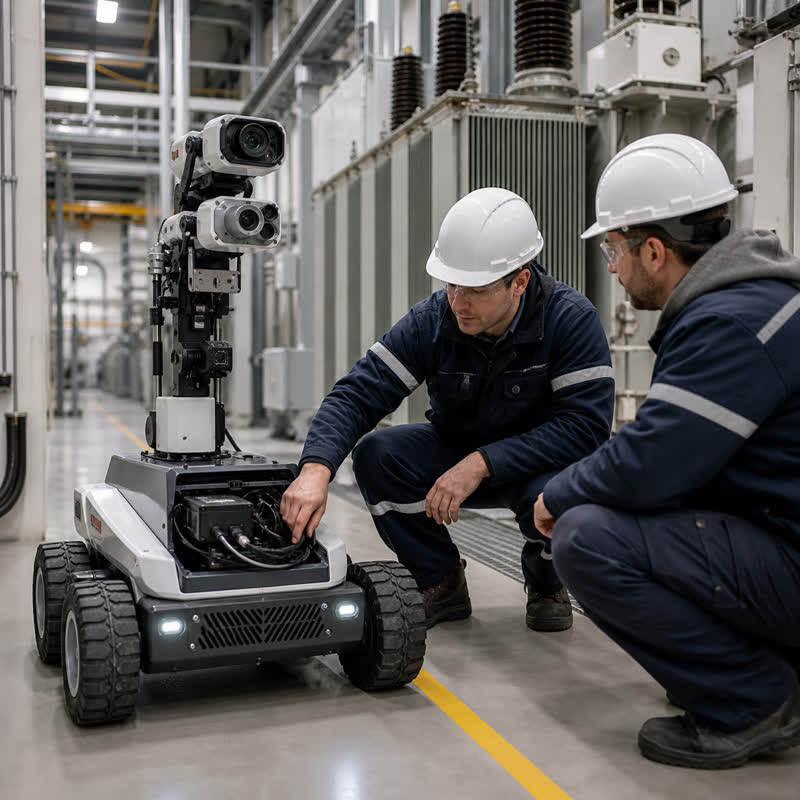
Inspection robots work where a single camera view is rarely enough: substations, process plants, utility corridors, warehouses, and outdoor assets. They may combine visible-light cameras with thermal cameras, depth sensing, LiDAR, microphones, or environmental sensors. The engineering question is therefore not simply “how much AI compute is needed?” It is how to create a repeatable path from sensor input to useful inspection evidence while preserving clear responsibility boundaries for the robot’s dedicated motion, safety, and vehicle-control functions.
What is an inspection robot edge AI computer?
An inspection robot edge AI computer is robot-side hardware that receives and processes sensor data close to the machine for workloads such as image preprocessing, inference, sensor fusion, logging, and communication with the wider robot system. It can support a robot’s perception pipeline and action-oriented workflows, but it is not automatically the robot controller. Dedicated control and safety functions should retain their own defined architecture and validation path.
Keeping that distinction visible is useful during procurement. A computer can be well suited to multi-camera perception yet still require a separate, project-specific approach for motion, safety, and fault handling. That is the difference between buying a promising specification and integrating a system that can be assessed in the field.
Start with the inspection decision, not the camera count
List the decisions the machine must support before comparing hardware. A thermal image may be collected for later review; a visible camera may detect an indicator state; a depth sensor may help locate an asset; and an acoustic signal may be time-correlated with a visual event. These workloads do not necessarily have the same criticality, retention requirement, or recovery behavior.
| Design question | Why it matters | Evidence to request or test |
|---|---|---|
| Which sensor supports which inspection decision? | Prevents redundant streams and vague AI requirements. | Sensor-to-decision map, expected inputs, output owner, and review path. |
| Which streams must be correlated? | Multi-camera evidence is only useful when the system can relate it to location and event context. | Timestamp approach, calibration procedure, and sample event records. |
| What happens when a stream is degraded? | Glare, contamination, cable faults, and network interruptions are normal field conditions. | Detection, alerting, fallback, and operator-review workflow. |
| Where does the computer live? | Mounting, connector retention, heat, service access, and power quality affect the installed result. | Enclosure layout, cable plan, power-state behavior, and maintenance access. |
Build the perception path before choosing a model
A practical architecture starts at the sensors: cameras and other inputs feed acquisition and preprocessing; selected data then moves to inference or fusion; results become an inspection record, operator alert, navigation input, or a message for a separate control subsystem. Store enough context to make an event reviewable. That may include sensor identity, location, environmental condition, software version, and the original evidence permitted by the project’s data policy.
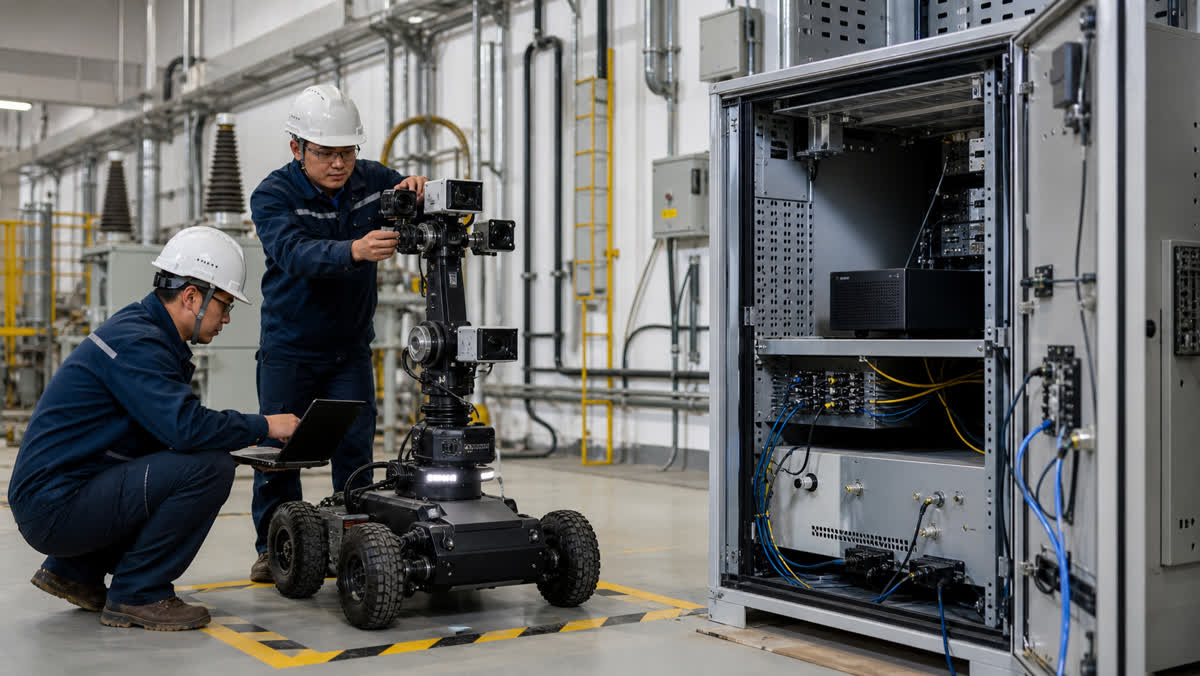
Multi-camera robots also need an explicit ownership model. Decide which application owns calibration, who monitors stream health, where logs are retained, and which subsystem is allowed to consume a perception result. This makes integration discussions more productive than a generic request for “real-time AI.”
Failure modes worth testing early
| Failure mode | Common weak response | Better validation question |
|---|---|---|
| One camera is obscured or drops out | Continue as if all views are equivalent. | Does the application mark confidence and retain an actionable diagnostic? |
| Lighting or thermal conditions change | Use a bench dataset as the only proof. | Can the team replay representative field cases and document the review outcome? |
| Power cycling interrupts an inspection run | Assume the computer restarts into a usable state. | Which services recover, which records persist, and what operator check is required? |
| Cables or connectors experience vibration | Treat the wiring harness as an installation detail. | Has the installed route, strain relief, and service procedure been reviewed? |
Where MScape N Series hardware can fit
After the architecture is defined, an N Series computer can be evaluated as the robot-side computing hardware. The MScape N203 multi-camera edge AI computer is a relevant path when the project centers on camera-rich perception and GMSL2-oriented integration. For a robot that also needs broader sensor fusion and industrial interconnect assessment, review the MScape N210 robotics edge AI computer alongside the system’s actual interface plan.
Neither choice substitutes for a dedicated safety or motion-control design. If the work is still at the architecture stage, begin with the N Series product overview, then compare the selected model against the sensor topology, enclosure, service constraints, and validation evidence. The robotics application cases provide useful context for matching compute hardware to a physical deployment.
A practical validation sequence
- Create a sensor-and-decision matrix, including the owner of each output.
- Bench-test representative streams, then repeat with the actual camera mounts, cables, and power arrangement.
- Run degraded-input cases: occlusion, dropped stream, storage pressure, restart, and communication interruption.
- Review the resulting evidence with the inspection operator and integration team.
- Freeze the interface, logging, service, and change-control requirements before wider deployment.
FAQ
Is a multi-camera inspection computer the same as a robot controller?
No. It can support perception, inference, sensor processing, and communication. The project should separately define the architecture and validation responsibilities for motion, safety, and other dedicated control functions.
Should every inspection stream be processed on the robot?
Not necessarily. Keep the decision based on connectivity, data policy, operator workflow, recoverability, and the need to act from local evidence. A mixed local-and-remote design can be appropriate when those responsibilities are explicit.
What should a supplier discussion include?
Bring the robot type, cameras and other sensors, interface plan, power and enclosure constraints, software environment, expected inspection evidence, and deployment timeline. The supplier-evaluation checklist in How to Evaluate a Robot AI Computer Supplier can help structure that conversation.