English
 Español
 Português
 Deutsch
 한국어
한국어 日本語
日本語 Italiano
 Français
 العربية
 Türkçe
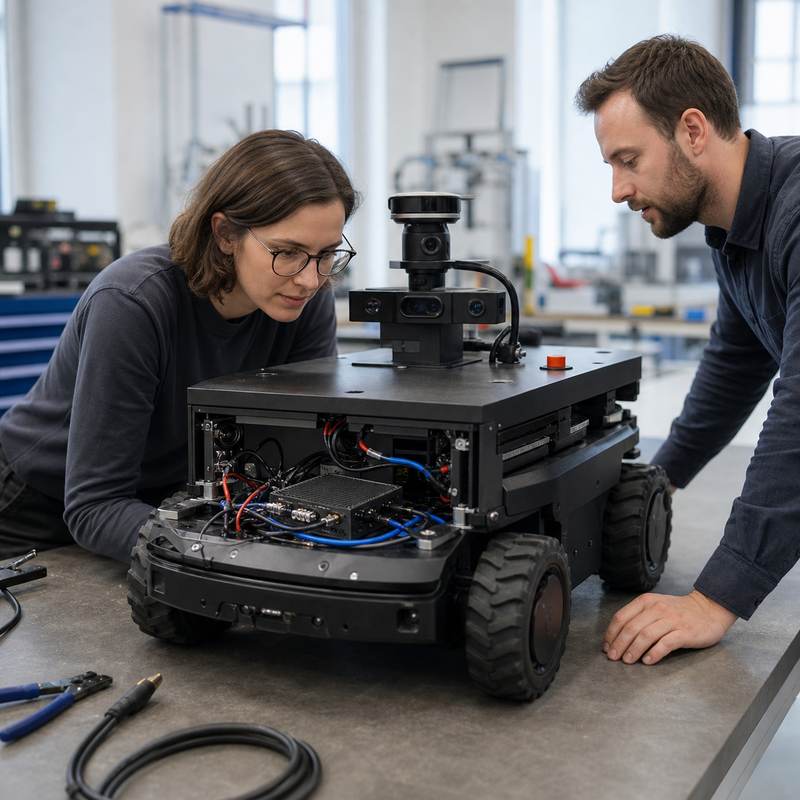
Short answer: a Jetson industrial computer for a robot is more than an NVIDIA Jetson module or a development kit. It is the complete robot-side computer selected around the real installation: camera and sensor inputs, networking, power, thermal path, enclosure, service access, software validation, and the interfaces to the wider robot architecture.
Why a Development Kit Is Not the Final Selection Decision
Teams often begin with a development kit because it makes model bring-up and software experimentation accessible. That is a sensible first step. The selection changes once the workload moves into an AMR, inspection machine, cobot cell, drone ground-test rig, or autonomous vehicle. At that point, the question is not simply whether inference runs. It is whether the computer can be installed, connected, powered, cooled, validated, and supported as part of the machine.
For a robotics team, Jetson industrial computer should mean a complete embedded AI computer built around the NVIDIA Jetson ecosystem, with a deployment design that fits the actual robot. NVIDIA’s Jetson family provides the underlying accelerated-computing ecosystem and JetPack software tools; the robot computer is the integrated hardware that exposes the required I/O and lives with the machine’s constraints.
Start With the Robot Workload, Not a Headline Compute Figure
Write down the path from sensor to action-oriented software before comparing hardware. A camera-rich inspection robot, for example, may need camera ingestion, time alignment, image processing, local inference, storage, network exchange, and a defined handoff to other robot subsystems. A single benchmark cannot establish that this chain will work after installation.
| Engineering question | What to define | Why it changes the computer choice |
|---|---|---|
| Sensor topology | Camera type and count, radar/LiDAR/IMU paths, synchronization needs, and data ownership. | Interfaces and cabling can be decisive before raw AI capacity. |
| Local workload | Perception models, mapping, recording, visualization, containers, and concurrent processes. | Memory, storage, software stack, and sustained thermal behavior must suit the combined workload. |
| Robot integration | Ethernet, CAN, serial, USB, discrete I/O, or other required communications. | The computer must join the system architecture without improvised adapters. |
| Installation envelope | Available volume, mounting, power source, airflow, service access, and cable routing. | A working bench setup can fail when the enclosure closes or the vehicle begins moving. |
| Validation and procurement | Documentation, image-management process, integration support, delivery evidence, and lifecycle questions. | These determine whether a prototype can become a repeatable machine build. |
What Makes a Jetson-Based Computer Industrially Useful for Robotics?
“Industrial” is not a substitute for an evidence review. Ask the supplier to show how the exact computer addresses your mounting, power, cooling, interface, and deployment requirements. The most useful evidence is specific to the intended installation, not a generic product description.
1. Interfaces that match the sensor plan
Count more than ports. Identify the physical connector, protocol, cable length, camera or sensor source, bandwidth expectation, and the software component that owns the data. For multi-camera perception, a path such as the MScape N203 multi-camera edge AI computer is relevant when its verified camera and integration capabilities match the design. If the program is sensor-fusion and multi-protocol led, review the MScape N210 robotics edge AI computer against the actual interface map.
2. Power, thermal, and mechanical evidence
A robot computer must be evaluated in its planned enclosure and duty pattern. Define the input power range available at the mounting point, start-up and shutdown behavior, heat path, cable strain relief, ingress exposure, and access needed for service. Do not infer sustained installed behavior from a short open-bench demonstration.
3. A boundary between AI compute and dedicated control functions
Robot-side computing can process perception, run inference, support communications, and exchange information with a robot’s defined control architecture. That does not automatically make the edge AI computer a robot controller, motion controller, or safety function. Keep ownership and validation of those functions explicit in the system design.
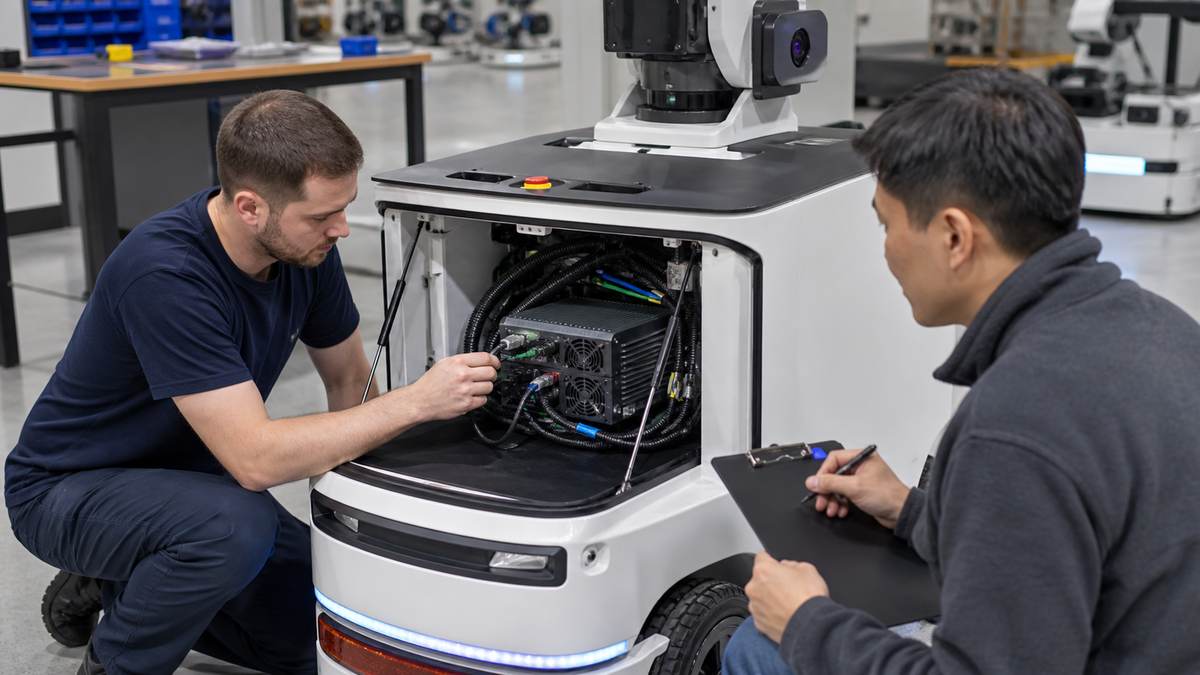
Installed-system validation should test the sensor, power, network, mounting, and service context—not only the AI workload on an open bench.
A Practical Validation Sequence Before You Commit
- Map the inputs: document each camera and sensor, connector, cable route, protocol, and data consumer.
- Run the real software mix: test the intended perception and supporting processes together, with representative data paths.
- Install the computer: use the planned mount, enclosure, power feed, and cable management.
- Exercise operating states: validate startup, network recovery, storage behavior, sensor reconnects, and planned service procedures.
- Review handoffs: verify how the computer exchanges information with the robot’s dedicated control and safety architecture.
- Capture procurement evidence: retain configuration, software-image, wiring, test, and support records for the build.
Common Failure Modes to Catch Early
| Failure mode | Why it appears late | Early check |
|---|---|---|
| Camera plan grows after the computer is chosen | A proof of concept used fewer sensors than the production robot. | Freeze a sensor growth path and confirm each required input route. |
| Bench cabling does not fit the machine | Connector orientation, bend radius, and strain relief were deferred. | Build a representative harness and mount it in the real volume. |
| Software works but system recovery is unclear | The demo did not include restart, disconnect, or service scenarios. | Run a written recovery checklist with the intended software image. |
| Hardware role is overstated | AI processing is confused with all robot-control responsibilities. | Document interfaces and ownership boundaries with the controls and safety teams. |
Where MScape N Series Fits
MScape N Series products are NVIDIA-based edge AI computers for robot-side deployment. They are best evaluated as hardware paths after the sensor, interface, enclosure, and validation requirements are clear. For broader selection context, see the MScape N Series product overview and the guide on moving from a development kit to a deployable robot computer.
The N203 is not automatically the right fit for every Jetson industrial computer request: it is most relevant where camera-rich perception drives the architecture. The N210 deserves a closer review where sensor fusion and industrial communications materially shape the installation. For application context, explore MScape robotics application cases; for supplier background and evidence, see About MScape.
FAQ
Is a Jetson industrial computer the same as a Jetson module?
No. A Jetson module is a compute component. A Jetson industrial computer is the complete integrated computer around it, including the I/O, power, thermal, mechanical, and deployment design needed for a machine.
Can an edge AI computer replace a robot controller?
Not by default. It can support local perception, inference, and communications, while control and safety responsibilities depend on the defined robot architecture and its dedicated components.
What should procurement request before approving a robot computer?
Request the exact configuration, interfaces, power and mounting information, software-image approach, integration documentation, validation plan, support process, and evidence relevant to the intended machine.
Turn the hardware shortlist into an integration review
Share your robot type, camera count, sensor stack, communication buses, planned compute workload, power budget, enclosure constraints, and deployment timeline. Contact MScape’s engineering team to discuss which N Series edge AI computer path is appropriate—and what must be validated before a hardware decision.