English
 Español
 Português
 Deutsch
 한국어
한국어 日本語
日本語 Italiano
 Français
 العربية
 Türkçe
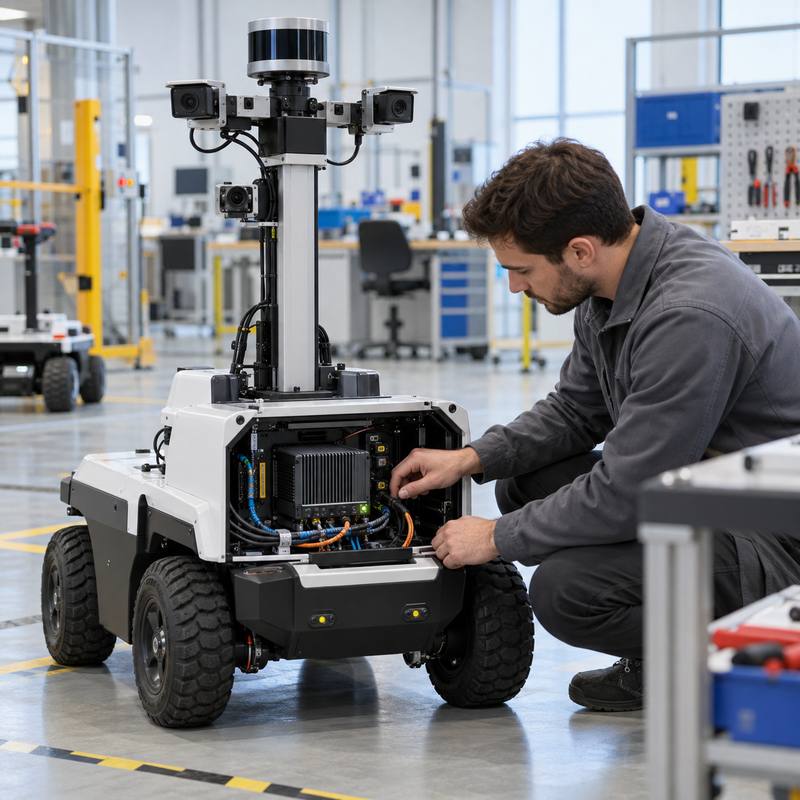
A robotics edge AI computer service handover is the engineering record that lets a field team identify the installed computer, understand its interfaces and power path, restore an approved software baseline, and know which evidence proves the robot was accepted. It is not just a packing list. For a robot that relies on local perception or sensor processing, a weak handover can turn a straightforward replacement or fault check into an unplanned re-integration effort.
Why a service handover belongs in edge AI computer selection
Robot teams commonly select a computer around an initial workload: cameras, perception models, communication, storage, and the available enclosure space. Those choices matter, but deployment introduces another question: can a qualified service engineer reproduce the approved state without guessing? A computer may be physically reachable yet still be difficult to support if the installed configuration, cable routing, software release, or sensor mapping is undocumented.
This is particularly important when an AI workload runs on the robot side. The computer sits between sensor data, local inference, logging, and higher-level robot software. It should not be presented as the robot鈥檚 dedicated motion or safety system. A useful handover makes those responsibilities explicit, so a field change to the computing side does not silently alter a drive, actuator, or safety function.
The minimum handover record
| Record | What to capture | Why the field team needs it |
|---|---|---|
| Installed identity | Computer model, ordered configuration, serial record, installed location, and photos of the serviceable assembly. | Prevents a replacement decision based on a loose or incomplete description. |
| Interface map | Each camera, lidar, network, CAN, or other approved connection; port location; cable identifier; and the owning subsystem. | Supports fault isolation and avoids reconnecting a sensor to the wrong interface. |
| Power and enclosure context | Approved power source, protection path, grounding approach, enclosure or mounting notes, and the observed thermal environment during validation. | Makes physical installation conditions part of the support baseline. |
| Software baseline | Operating-system image or release identifier, relevant middleware and application release, configuration file location, and access/recovery ownership. | Lets teams distinguish a software change from a hardware fault. |
| Acceptance evidence | The defined robot scenario, sensor checks, logs, known limitations, and sign-off owner. | Gives the next team a repeatable reference instead of an anecdotal 鈥渋t worked.鈥?/td> |
Start with the installed system, not a generic spec sheet
A data sheet helps determine whether a computer could fit a workload. The handover must show how the selected hardware was actually integrated. For example, a sensor-rich mobile robot may route multi-camera perception into a computer, publish processed information to robot software, and retain diagnostic data locally. The service record should identify the real sensor set, the cable and power path, and the tested software release鈥攏ot imply that every interface shown on a product page is in use.
For camera-heavy builds, the MScape N203 multi-camera edge AI computer is a relevant evaluation path when its verified interfaces fit the required camera and perception design. Where the work centers on sensor fusion and robot-side industrial connectivity, review the MScape N210 robotics edge AI computer. The correct choice remains the one that can be documented, installed, and validated within the robot鈥檚 actual constraints; a model is not a substitute for an integration record.
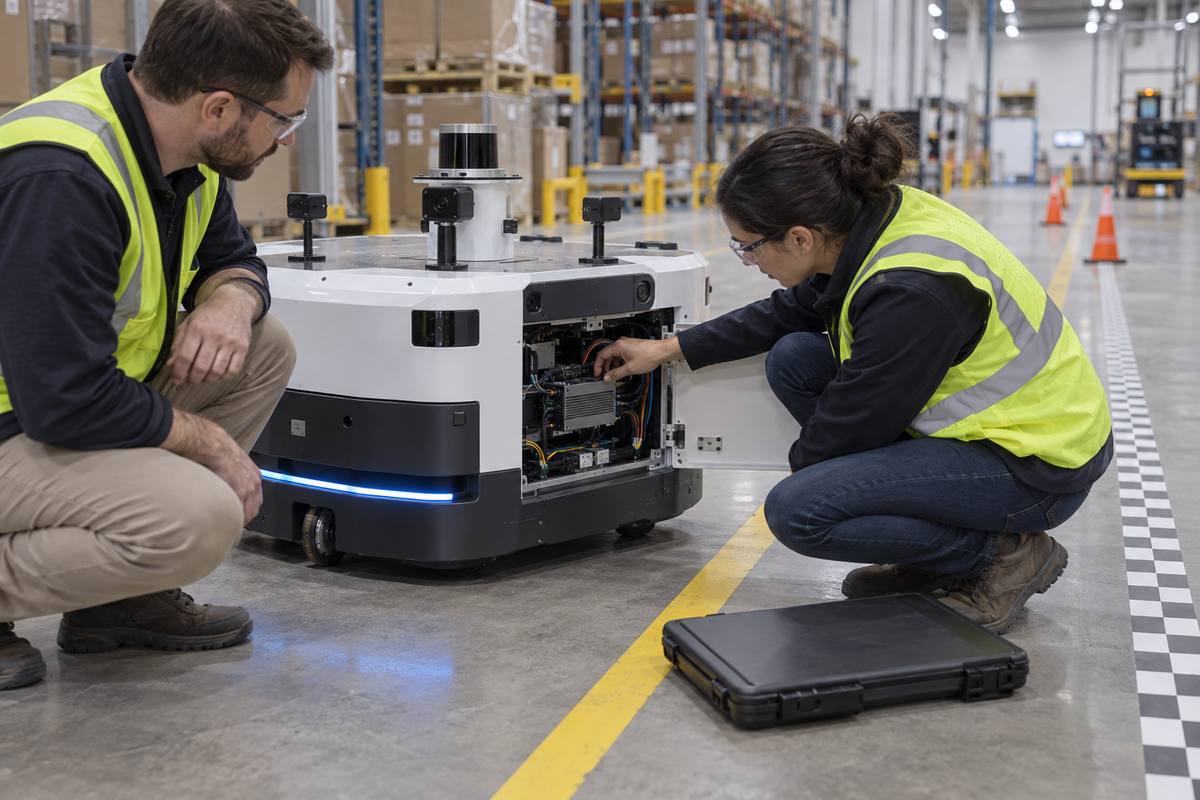
A useful service handover links the installed computer to the robot鈥檚 sensors, power path, approved software state, and acceptance evidence.
A five-step handover sequence
1. Freeze the approved build
Record the exact computer configuration and the physical location in the robot. Photograph the enclosure before it is closed. Pair this with a change owner: future substitutions, cable changes, or image updates should be reviewable rather than invisible field edits.
2. Map every dependency at the boundary
List what enters and leaves the computer: perception sensors, robot network connections, storage, and any approved diagnostic link. For each connection, state which subsystem owns it. This is the simplest way to avoid treating a robot-side AI computer as if it owns low-level actuation or safety responsibilities.
3. Preserve a recoverable software baseline
Document the approved image, configuration location, release identifiers, access process, and recovery route. A recovery procedure should include who is authorized to perform it and which acceptance check follows restoration. Do not rely on a technician鈥檚 personal laptop history as the system record.
4. Attach evidence to the intended robot scenario
Choose a practical scenario that exercises the deployed sensor-to-decision path: for example, an AMR route segment with the expected cameras and network state. Store the resulting acceptance log or report with the handover package. A synthetic bench result may be valuable, but it is not a replacement for installed-system evidence.
5. Rehearse one service event
Before shipment or field release, have a second qualified engineer use the handover to locate the computer, inspect the relevant interfaces, confirm the software baseline, and run the stated acceptance check. Any ambiguity found here is inexpensive to fix compared with a field escalation.
Failure modes this process exposes early
| Failure mode | Early signal | Handover control |
|---|---|---|
| Correct computer, wrong installed configuration | A replacement looks similar but lacks an approved connection or storage arrangement. | Capture ordered configuration and installed I/O mapping, not only the family name. |
| Sensor issue misdiagnosed as compute failure | Perception output changes after cable work or a sensor swap. | Keep a dependency map and scenario-specific acceptance evidence. |
| Uncontrolled software recovery | A restored system behaves differently from the accepted build. | Record image identity, configuration ownership, and the post-recovery check. |
| Physical condition omitted from validation | The installation passes on a bench but differs after mounting and enclosure closure. | Document power, mounting, enclosure, and observed thermal context with the build. |
Make the handover a procurement requirement
Procurement teams can request the handover deliverables before a purchase order is finalized: model and configuration traceability, an interface-documentation format, support and recovery responsibilities, and the evidence expected at acceptance. This makes comparison more useful than judging a robot computer solely by a headline specification. It also aligns with a broader robotics edge AI computer acceptance-test framework, where the team defines what must be shown on the installed robot.
For broader hardware-selection context, see MScape鈥檚 N Series robotics edge AI computer overview and its robotics application cases. Company and engineering context are available on the About MScape page.
FAQ
Is a handover record only needed for large robot fleets?
No. A pilot robot benefits because it establishes the baseline that later prototypes, field trials, and production builds can compare against. The record can begin compactly, provided its identity, interfaces, software state, and evidence are controlled.
Does the handover replace a robot safety case?
No. It documents the edge AI computing integration and its boundaries. Dedicated safety, drive, and low-level motion responsibilities need their own engineering evidence and owners.
When should the handover be updated?
Update it when a controlled change affects the installed computer, connected sensors, power or enclosure conditions, approved software baseline, or acceptance scenario.
Share the robot type, sensor set, required interfaces, power and enclosure constraints, software environment, and proposed validation scenario. Contact MScape鈥檚 engineering team to discuss a documented robot-side edge AI computer path.